Image set
128 assets
Product photos, cover art, and social crops in one queue.
Batch image processing for Mac
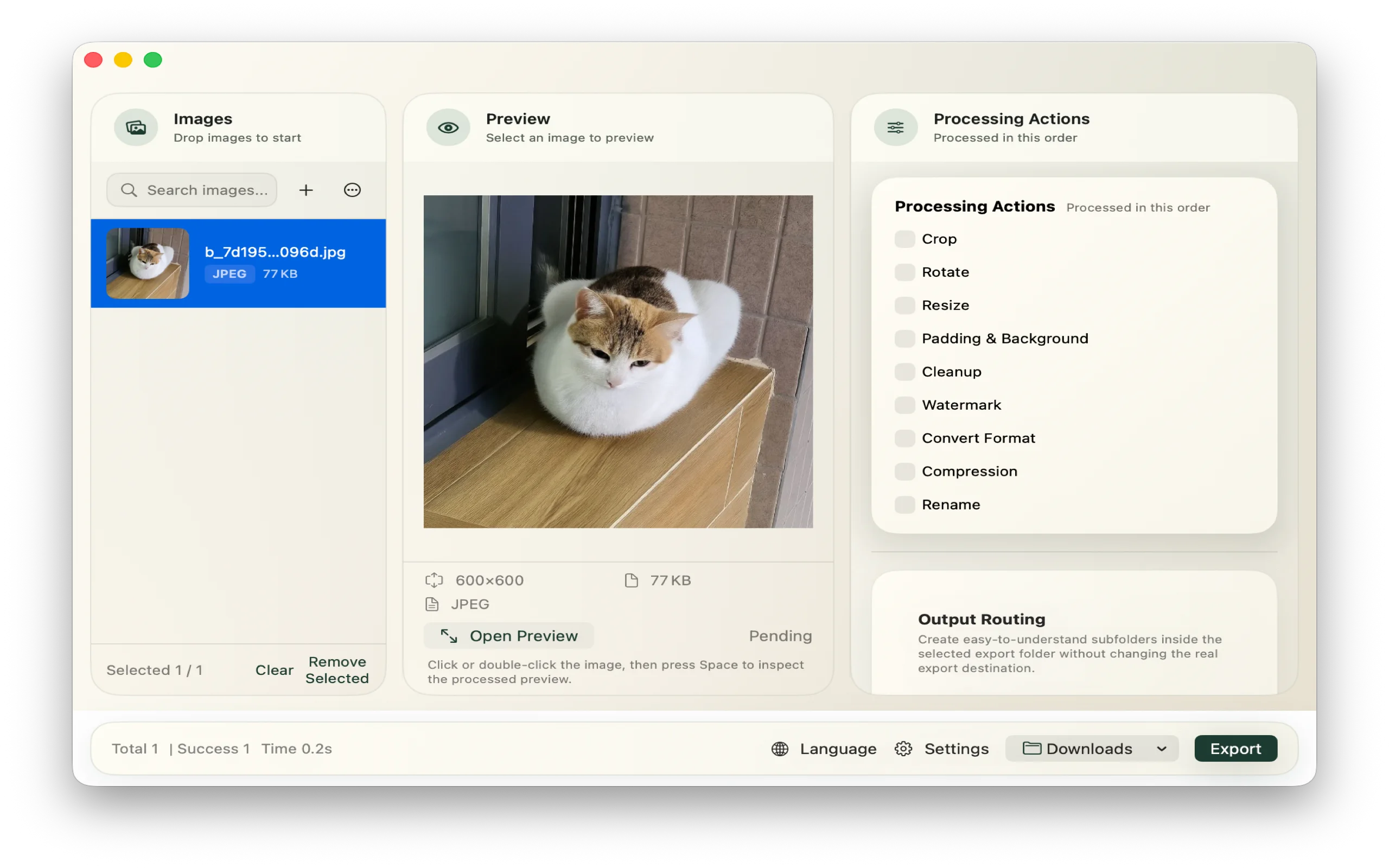
ImageFlow keeps repeated image prep in one visible workflow: import, choose actions, preview, and export. Core processing stays free, while Workflow Pro unlocks templates, automation, and larger queues for repeat-heavy work.
Local workflow
Current builds process files on your Mac and write exports to folders you choose.
Pricing model
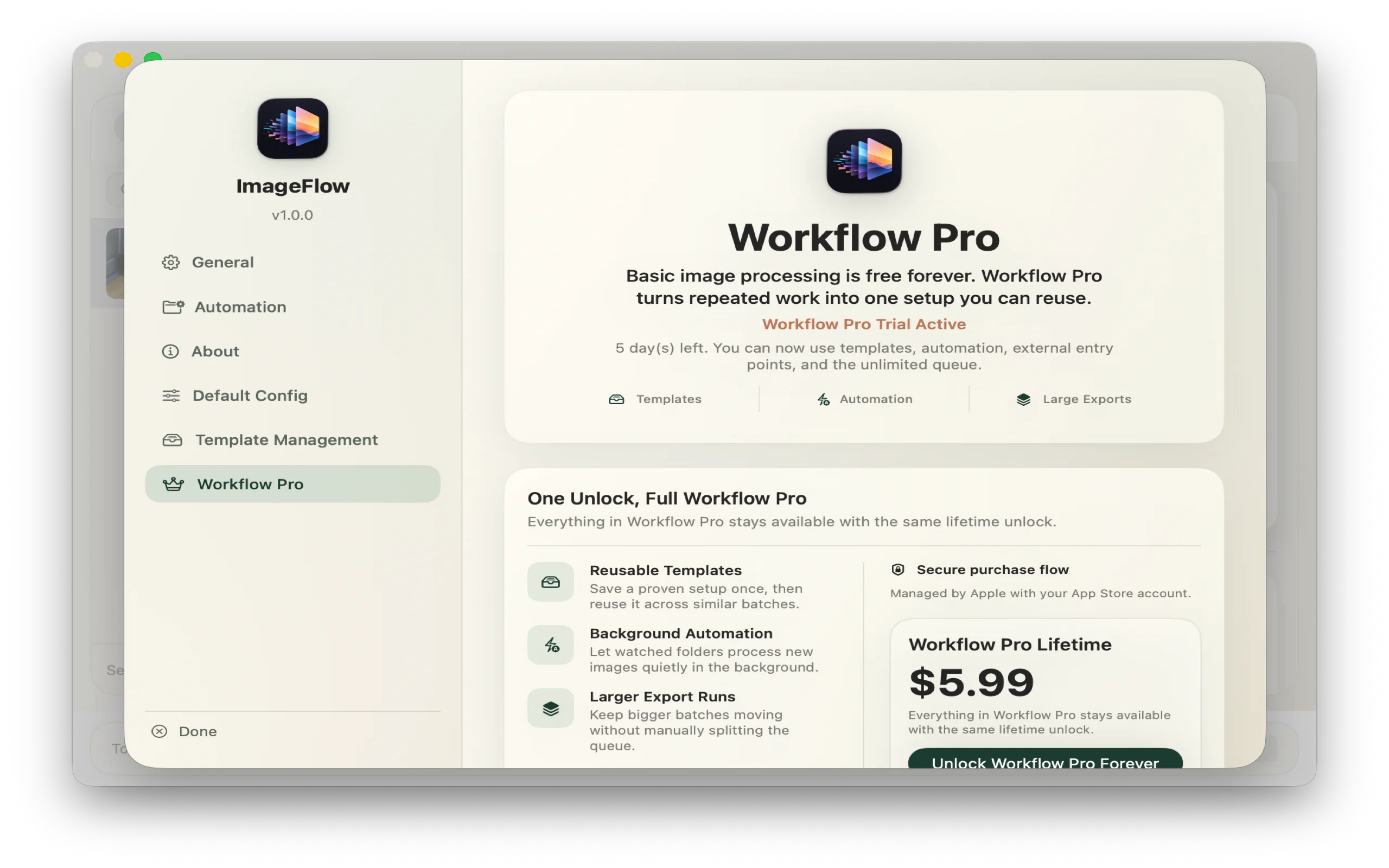
Free runs support up to 50 images at a time. Workflow Pro unlocks larger repeat workflows.
Privacy stance
Purchases go through Apple StoreKit. The current app does not bundle analytics or crash-reporting SDKs.
Launch status
This homepage is for the launch build: the product, pricing boundary, privacy stance, and support path are already being written down as product facts rather than placeholder copy.
Ask for launch updatesBuilt by
ImageFlow is being shaped as a focused Mac utility, not a broad creative suite. The goal is a calmer, more repeatable path for recurring image work.
Purchase model
Workflow Pro is a one-time unlock handled by Apple StoreKit. It is not positioned as a recurring subscription in the current build.
Who it is for
E-commerce operators, content publishers, creators, and anyone whose folders keep filling with images that need the same cleanup again.
Why ImageFlow
The difference is not just features. It is that the same repeated job can stay visible, consistent, and easier to rerun next time.
Without ImageFlow
With ImageFlow
One clean sequence
ImageFlow is built around the steps people actually repeat every day, from import to final export.
Bring in files or folders without turning setup into a task of its own.
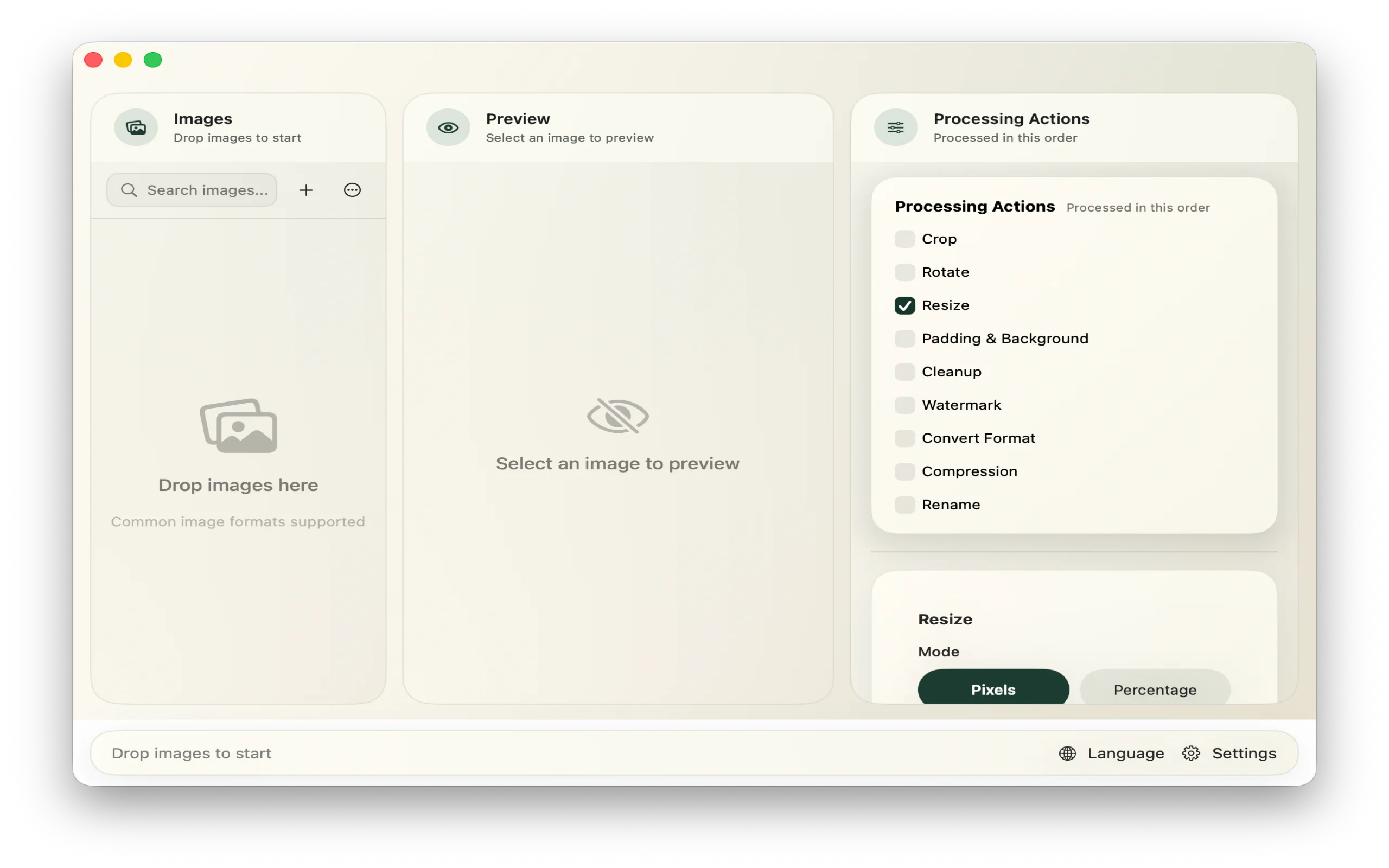
Stack the edits that matter: format, compression, resize, crop, watermark, padding.
Check the result before exporting so repeated jobs stay predictable.
Ship the final batch with less friction and fewer quality surprises.
What it handles
Format + size
JPG, PNG, WebP, and HEIC support with predictable output sizing for content, product, and delivery workflows.
Finishing touches
Handle the edits that usually force one more round in another tool.
Repeatable setups
Workflow Pro unlocks template-based repeatability and queue scale beyond the free tier.
Automation
For recurring pipelines, ImageFlow can process incoming assets with less manual babysitting.
Plans
The pricing boundary matches the product itself. Basic image work stays open. Workflow Pro is for templates, automation, and the kind of volume that keeps coming back every week.
Free
Free forever
Workflow Pro
¥39 / $6.99 one-time unlock
Built for real work
Resize, compress, and standardize large sets of product images.
Prepare covers, blog images, and social graphics in one pass.
Keep watermark, background, and sizing rules consistent across deliverables.
Stay close to Finder and folders without building your whole process around them.
A concrete example
Think of a folder with 128 e-commerce images that all need the same output treatment before they are ready to publish.
Example workflow
Instead of rebuilding the same sequence by hand, ImageFlow lets the whole batch move through one configuration and one preview step.
Why it matters
Private by default
The current app does not ship with third-party analytics or crash-reporting SDKs, and it does not need a remote dashboard to perform normal image processing.
File and folder access is requested because of the macOS sandbox. ImageFlow only works with files and folders you explicitly choose, and keeps the needed access bookmarks locally for export memory and automation flows.
Read the privacy policySupport and purchase
Read the support page for workflow help, and the privacy page for the exact current stance on local processing, purchases, and stored settings.
Built by Lin. Support email: support@tryimageflow.com